Learn drums by playing real songs

Sheet music for thousands of songs. Mute the drum track, play along on your electronic drum kit, and beat your best score.

Features

Music notation
Every song is shown as standard drum notation (the same format you'd find in a printed drum chart) so you practice reading and playing actual parts.
Thousands of songs
Search and download straight from the Enchor community library, all with drum charts. The charts aren't always perfect, but they're usually close enough. Most come in several difficulties, from Easy to Expert.
E-kit support
Plug in your e-drums, set up the mapping in settings and play along. Hit the notes and aim for a perfect score.
Multi-stem mixer
When a song comes with separate tracks, set the level of each one (drums, bass, guitar, vocals) and mute the recorded drums to play along.
Drum-track separation
When a song is one mixed file, SightKick can split the recorded drums out into their own track so you can mute them. Available on Apple Silicon and Windows.
Practice mode
Select the measures that are giving you trouble, loop them, and slow playback down as far as 0.3x. Scoring is off in practice, so you can flail until it clicks.

How to start playing

1

Set up your song library

Open settings and pick the folder where your songs will be downloaded.
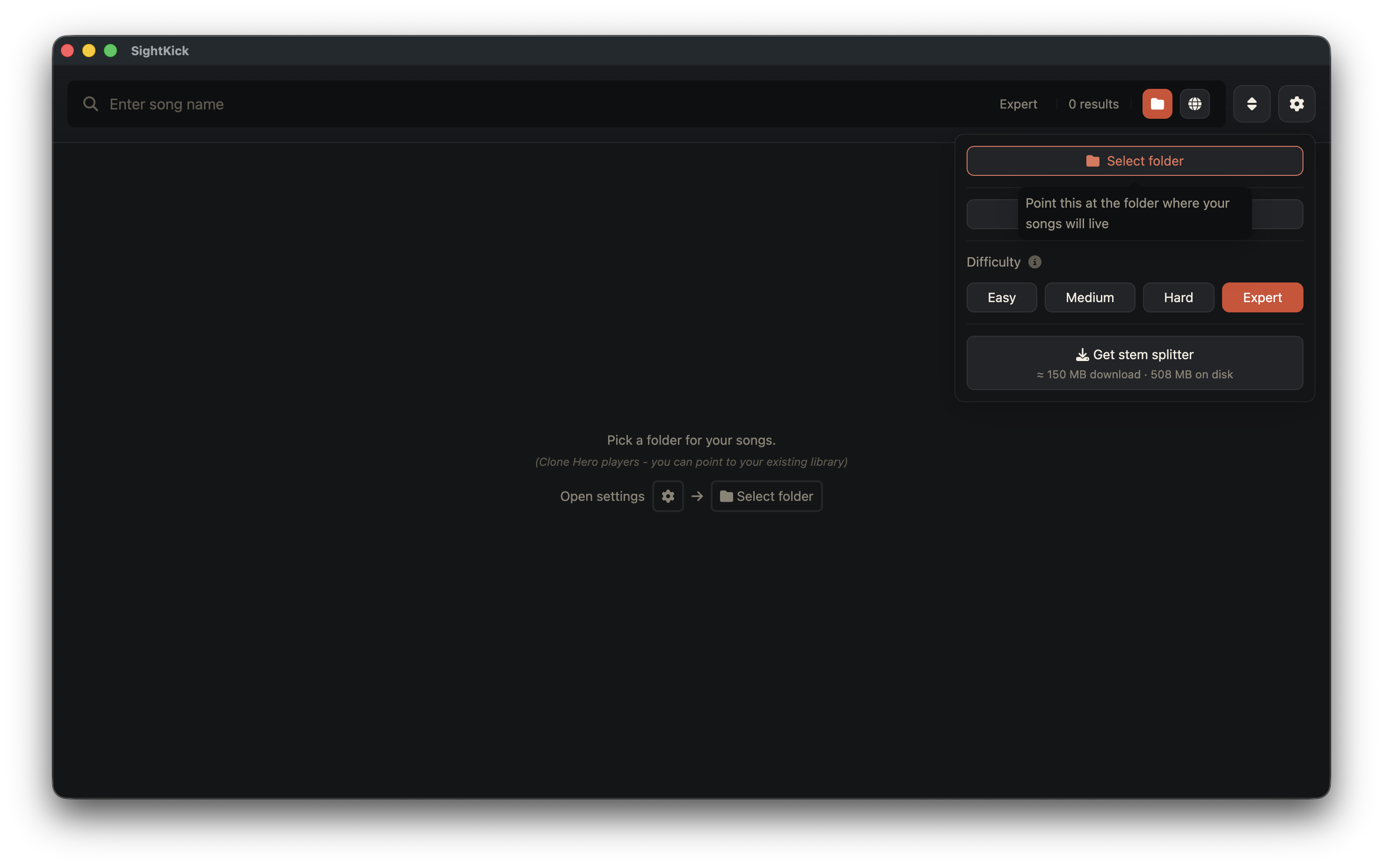
Song library setup
2

Download your first song

Press the globe to search Enchor, download a song, then press the folder button to switch back to your library.
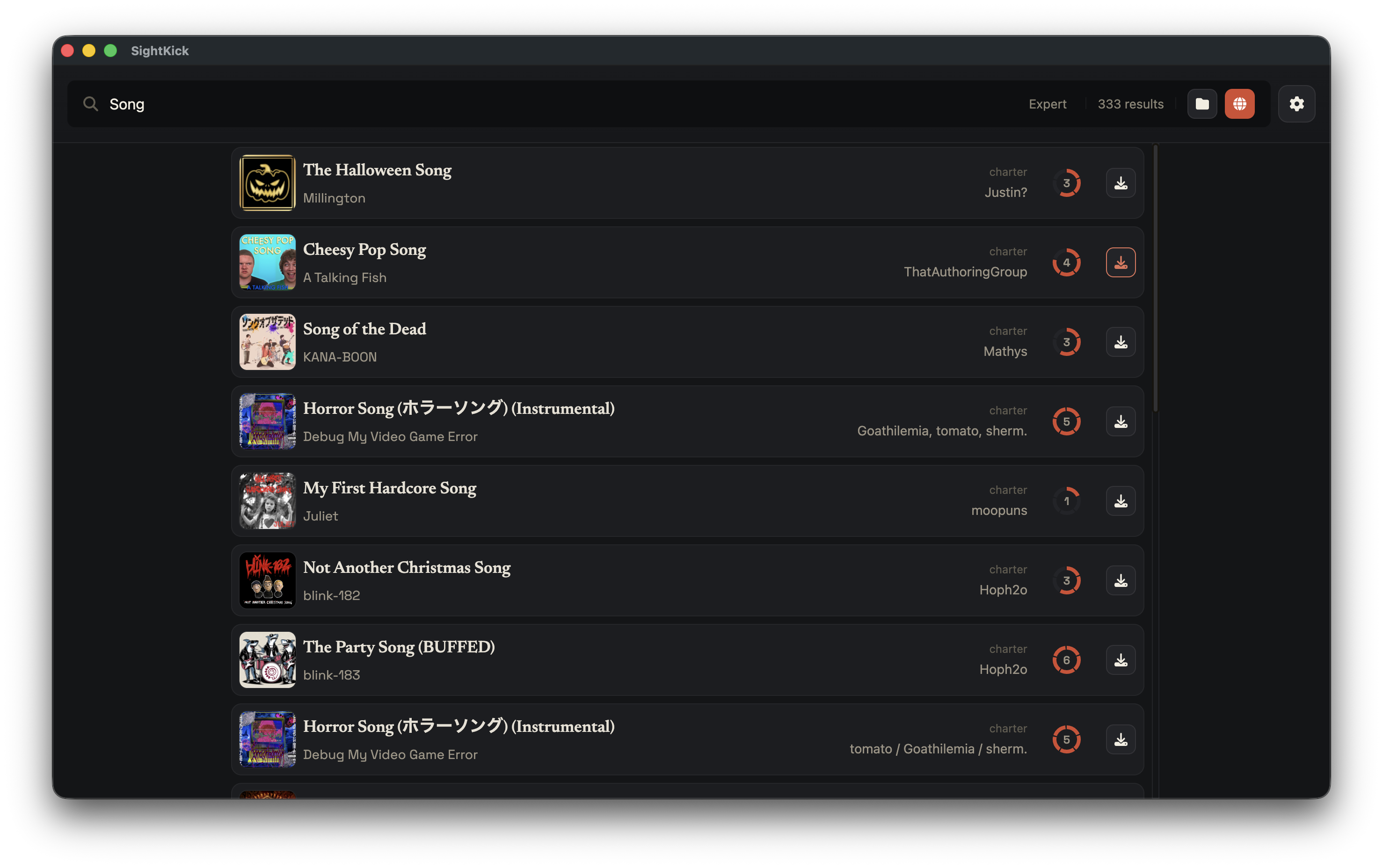
Song search
3

Map your drum kit

Plug in your e-drums, press Listen, and hit each pad to map it. Some pads can send a different signal from each area, like the head and the rim, so map them all to the same drum. No kit? Use the keyboard to try it out.
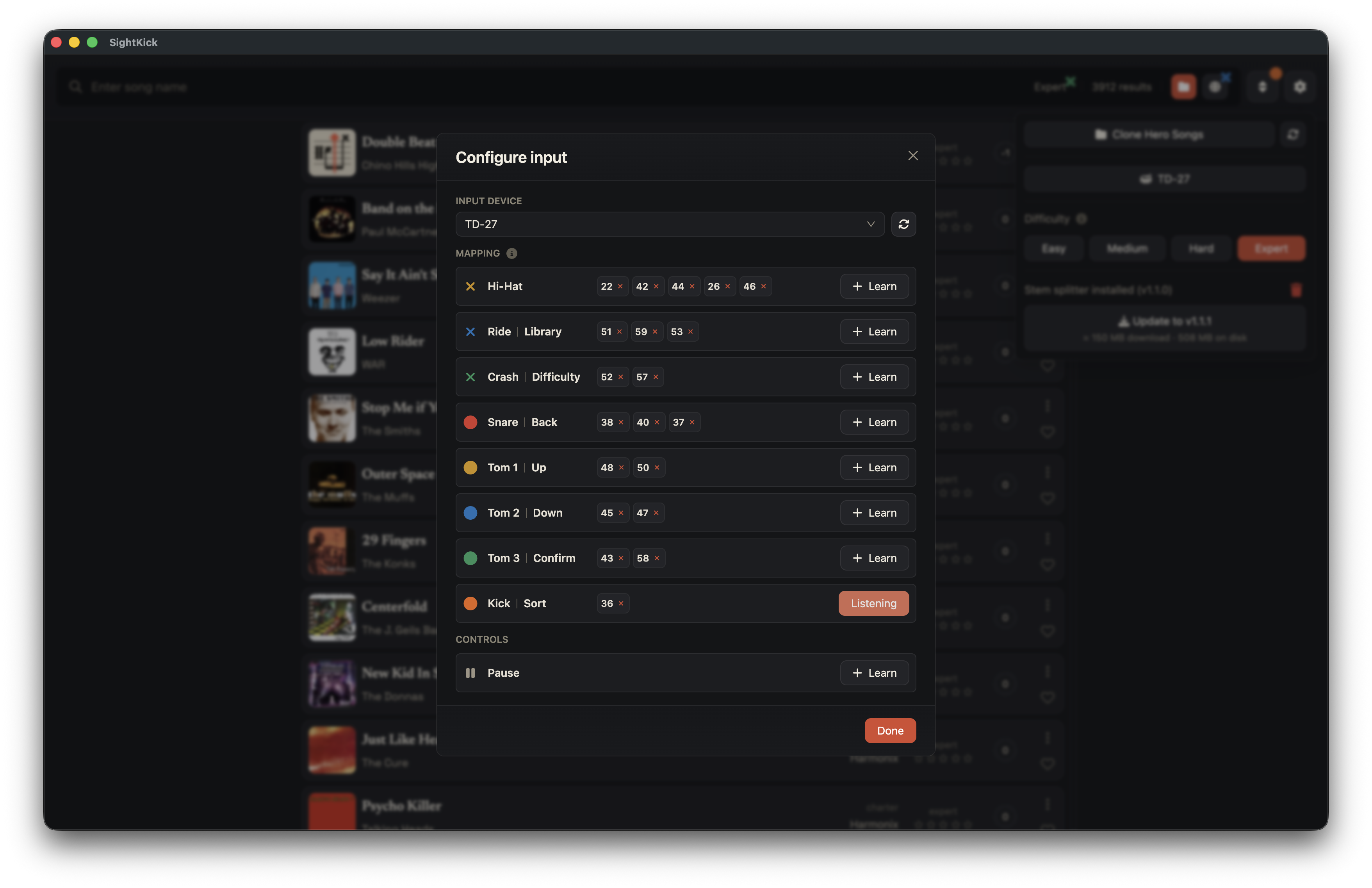
Drum kit mapping
4

Play through the song

Open the song you downloaded, hit play, and go for your best score. A handy cheat sheet stays on screen so you never lose track of which color is which drum.
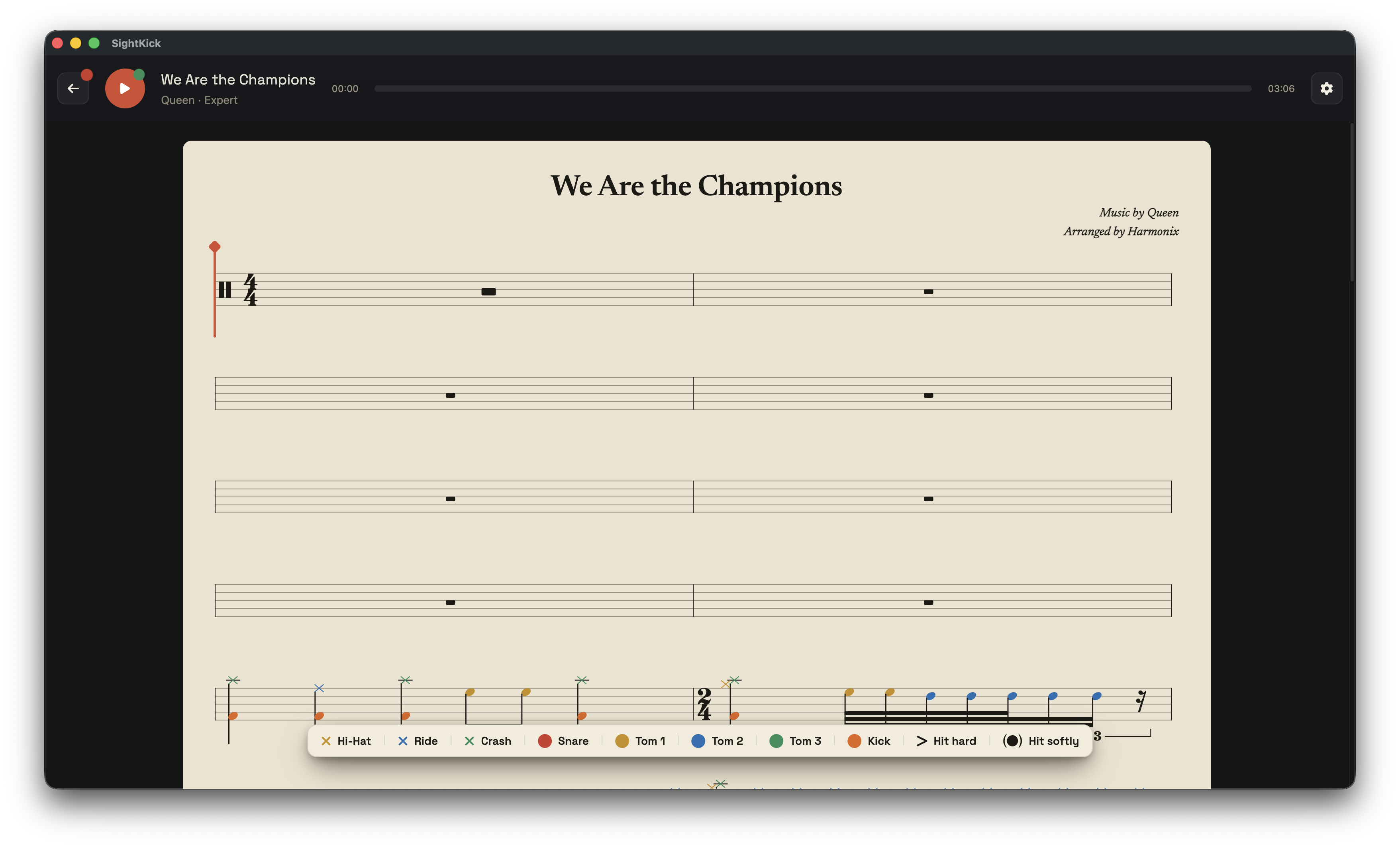
Sheet music playback
5

See how you did

Every hit is scored as you play. Finish the song to see your stars and accuracy, then play it again to improve.
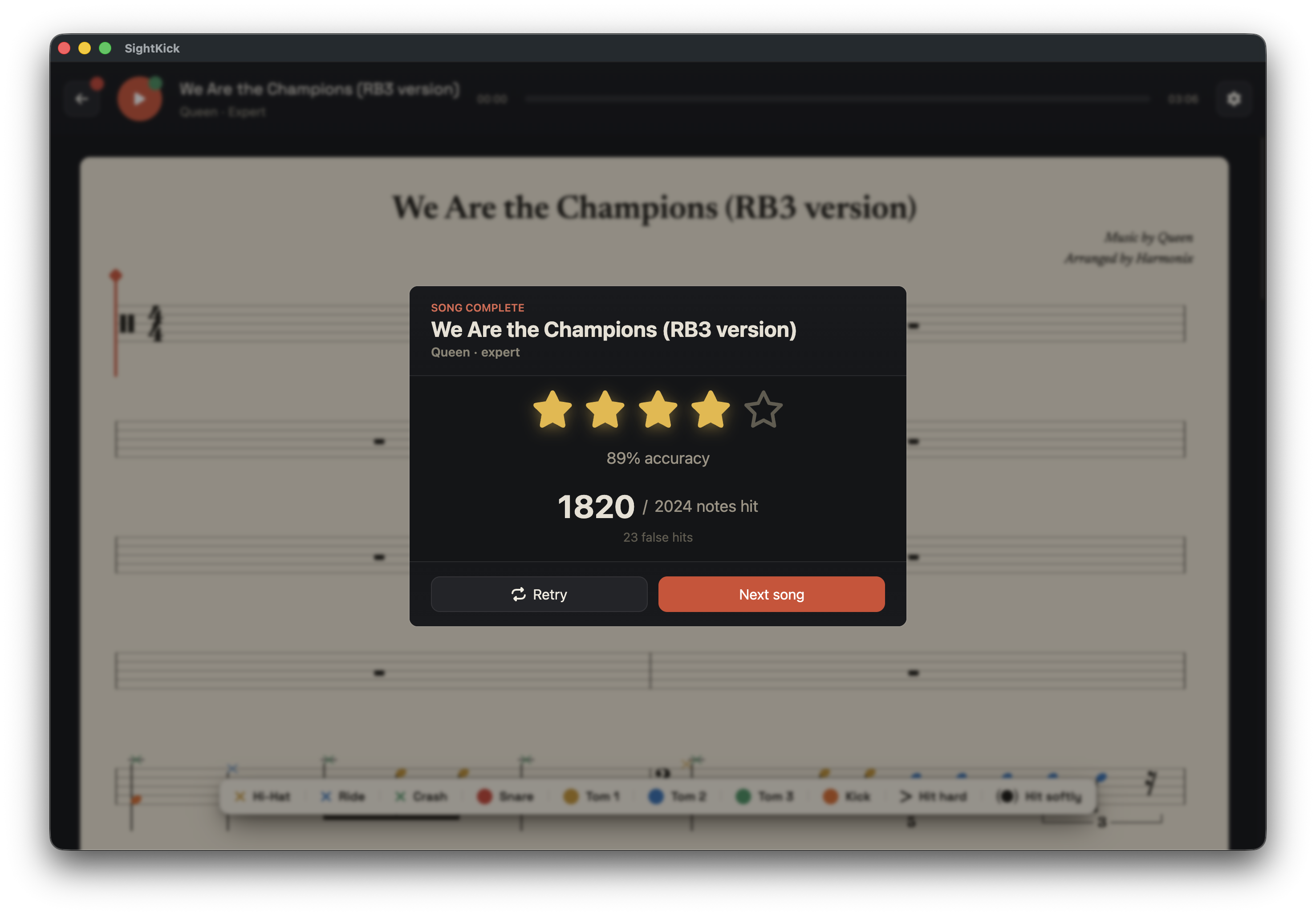
Score summary

Color-coded by drum

Each note is colored by the part of the kit it belongs to, which makes passages easier to read. On by default; turn it off in Settings.

Hi-hat
Ride
Crash
Snare
High tom
Mid tom
Floor tom
Kick

FAQ

Does it work with my drum kit?

If your kit can send MIDI, it works. Most electronic kits from Roland, Alesis, Yamaha, Donner and the like have a USB port on the module that does exactly that. Plug it into your computer, map each pad in settings by hitting it, and you're set. Acoustic kits work too if they have triggers and a module.

Is it actually free?

Yes. SightKick is open source under the MIT license. No account, no subscription, no locked songs. There's a Ko-fi if you want to support the project, but that's optional.

Where do the songs come from?

From Enchor, a community library of songs charted for rhythm games. You search and download right inside the app. The charts are made by fans, so quality varies, but for well-known songs they're usually solid.

Do I need to know how to read sheet music?

No. The notes are color-coded by drum, a cheat sheet stays on screen, and the cursor shows you where you are. You end up learning to read drum notation as a side effect of playing.

Can I try it without a drum kit?

Yes. Map the keyboard instead of pads and give it a go. It won't do much for your drumming, but it shows you how everything works before you commit to dragging your kit next to the computer.

How is it different from Melodics or Drumeo?

Those are lesson platforms with subscriptions, and they're good at teaching technique. SightKick doesn't teach; it's a practice game. You pick songs you actually like and play them until the score stops being embarrassing. There's a longer comparison here.

What do I need to run it?

A Mac (Apple Silicon or Intel), a Windows PC (x64), or a Linux machine (AppImage). The optional drum-track separation runs on Apple Silicon and Windows only.

Download SightKick

Free and open source, no account needed.
Works on macOS, Windows, and Linux.

All releases at github.com/tonygoldcrest/sightkick/releases